





 Included- metered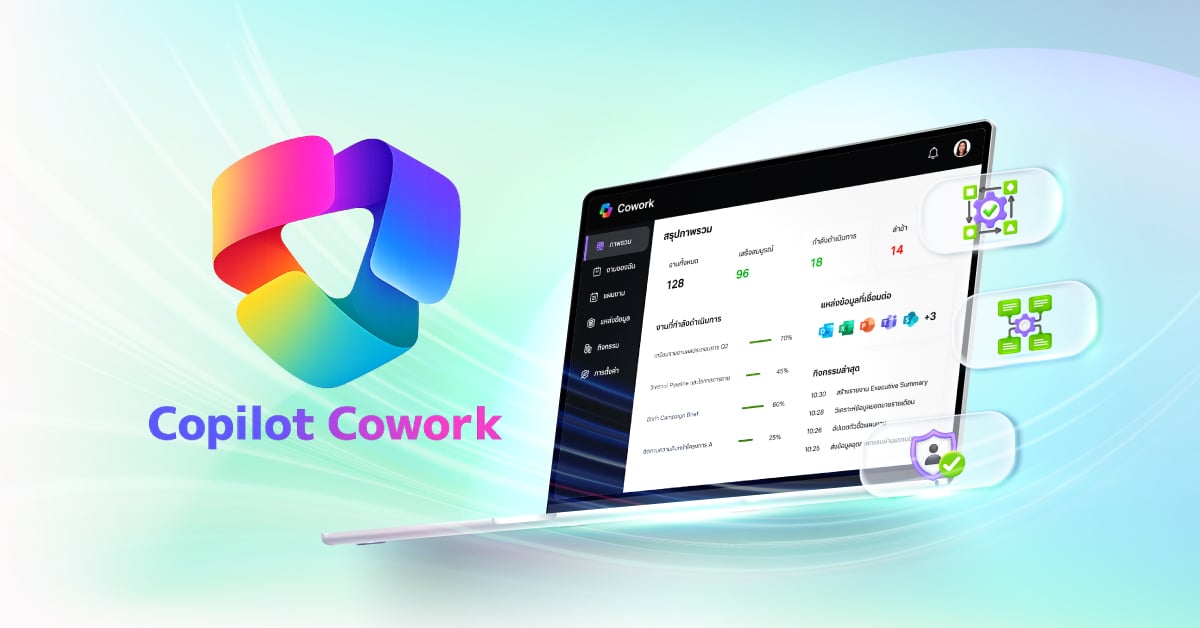



Microsoft 365 combines Office, Windows 10 and Enterprise Mobility + Security as more than just a licensing model or suite of products, in a world-class Cloud system. Microsoft 365 uses connectivity and smart systems to help customers innovate and compete more efficiently


เพิ่มประสิทธิภาพการทำงานด้วย Microsoft 365 ที่เหมาะกับธุรกิจของคุณ


Work from anywhere securely with AIS total solutions
Work productively from anywhere
Compare and choose from a variety of plans designed for businesses like yours.
-
Small & Medium Sized Business
-
Enterprise
-
Microsoft 365 Copilot
Features & Functionality |
Microsoft 365 Business Basic125 Baht/user/month (Annual subscription) |
Microsoft 365 Business Standard397 Baht/user/month (Annual subscription) |
Microsoft 365 Business Premium779 Baht/user/month (Annual subscription) |
|---|---|---|---|
|
Number of Users |
up to 300 users |
up to 300 users |
up to 300 users |
|
Microsoft 365 apps |
Web and mobile versions |
Web, mobile, and desktop versions |
Web, mobile, and desktop versions |
|
Number of devices |
Web and mobile apps only |
Up to 5 PC or Mac, 5 tablets, |
Up to 5 PC or Mac, 5 tablets, |
|
Business Email & Calendar |
50 GB mailbox per User/Custom business email/Calendar |
50 GB mailbox per User/Custom business email/Calendar |
50 GB mailbox per User/Custom business email/Calendar |
|
Appointment Booking Customer appointment scheduling with with Microsoft Bookings |
|
|
|
|
OneDrive Cloud Cloud File Storage & Sharing |
1 TB per user |
1 TB per user |
1 TB per user |
|
Microsoft Teams Teamwork and communication via Microsoft Teams |
Up to 300 users |
Up to 300 users Chat, call, meeting, and host webinars |
Up to 300 users Chat, call, meeting, and host webinars |
|
Exchange Email threat protection with Exchange Protect spam, malware, unknown threats |
|
|
|
|
Microsoft Defender Comprehensive Protection with Microsoft Defender Securing mobile devices and applications |
|
|
|
|
Data Loss Prevention (DLP) Prevent company data from being copied to unauthorized apps |
|
|
|
|
Protecting business data Cross-platform device security with real-time threat protection across Android, iOS, macOS, and PC. |
|
|
|
|
Microsoft 365 Copilot Chat AI-powered assistance Basic Chat/AI Chat/AI for Business Productivity |
|
|
|
Features & Functionality |
Microsoft 365 E31,274 Baht/user/month |
Microsoft 365 E52,017 Baht/user/month |
|---|---|---|
|
Number of Users |
Unlimit |
Unlimit |
|
Microsoft 365 Web-Based Applications |
|
|
|
Number of devices |
Up to 5 PC or Mac, 5 tablets, and 5 mobile devices |
Up to 5 PC or Mac, 5 tablets, and 5 mobile devices |
|
Business Email & Calendar |
Exchange Online Plan 2 / 100 GB mailbox /Custome Business Email |
Exchange Online Plan 2 / 100 GB mailbox / Custome Business Email |
|
OneDrive Cloud Cloud File Storage & Sharing |
1 to 5+ TB per user |
1 to 5+ TB per user |
|
Microsoft Teams Teamwork and communication via Microsoft Teams |
Up to 1000 users Chat, call, meeting |
Up to 1000 users Chat, call, meeting, and host webinars |
|
Exchange Email threat protection with Exchange Protect spam, malware, unknown threats |
|
|
|
Business news filtering platform. Filters and delivers relevant company news securely in Microsoft 365. |
|
|
|
Security system Ensuring security on mobile devices and applications |
|
|
|
User management Identity and resource access management system |
|
|
|
Threat detection Advanced threat detection and monitoring |
|
|
|
Automatic security protection Integrated cyberthreat protection for email and collaboration tools |
|
|
|
Security analysis
Assessing operational risks in accordance with advanced regulations (Advanced eDiscovery) |
|
|
|
Microsoft 365 Copilot Business AI-powered assistance Basic Chat/AI Chat/ AI for Business Productivity |
|
|
|
Microsoft 365 Copilot Chat |
Microsoft 365 Copilot Business |
Microsoft 365 Copilot |
|
|---|---|---|---|---|
| Licensing |
Seats |
All users |
Up to 300 users |
All users |
|
Pre-requisite |
O/E/B/F SKUs |
B-SKUs |
O/E/B/F SKUs |
|
| Chat |
Copilot Chat – Web grounded (powered by GPT 4o) |
|
|
|
|
Copilot Chat – Work grounded (shared tenant Graph data, 3rd party data via graph connectors, personal data) |
|
|
|
|
|
Copilot Pages |
|
|
|
|
|
File upload1 |
|
|
|
|
|
Code Interpreter |
|
|
|
|
|
Image generation |
|
|
|
|
| Agents2 |
Create agents powered by Copilot Studio, including SharePoint agents |
|
|
|
|
Discover and pin agents |
|
|
|
|
|
Use agents grounded on web data |
|
|
|
|
|
Use agents grounded in work data (work data in your tenant’s Microsoft Graph and 3rd party data via graph connectors) |
|
|
|
|
|
Use agents that act independently and autonomous actions |
|
|
|
|
| Personal assistant |
Copilot reasons over personal work data (i.e. Outlook, OneDrive, meeting transcripts) |
|
|
|
|
Copilot in Teams (Copilot in Meetings and Meeting Recap, insights from screen-shared content coming soon) |
|
|
|
|
|
Copilot in Outlook (Prioritize my inbox, schedule focus time and 1:1 meetings, draft agendas, summarize message threads) |
|
|
|
|
|
Copilot in Word (Suggestions for structure, flow, and tone, draft and summarize documents) |
|
|
|
|
|
Copilot in Excel (Python, getting started experience, create formulas and visualizations using natural language) |
|
|
|
|
|
Copilot in PowerPoint (Narrative Builder, presentation translation, generate company branded slides or images) |
|
|
|
|
|
Copilot Actions |
|
In preview |
In preview |
|
|
Pre-built M365 agents (Interpreter, Facilitator, Project Manager, Employee Self-Service) |
|
In preview |
In preview |
|
| Copilot Control System |
Enterprise Data Protection (EDP) |
|
|
|
|
IT management controls |
|
|
|
|
|
Agent management |
|
|
|
|
|
SharePoint Advanced Management |
|
|
|
|
|
Copilot Analytics to measure usage and adoption |
|
|
|
|
|
Pre-built reports and advanced analytics to measure ROI |
|
|
|
|
Remark
- Limits apply.
- Applies to employee-facing agents only.
- Learn more about the full capabilities of Copilot Studio Click.
- Basic reporting in Microsoft Admin Center available for Copilot Chat.
- Microsoft 365 Copilot for Business includes a fixed set of capabilities. Microsoft 365 Copilot for Enterprise may expand to include additional features over time.

Microsoft 365 Copilot Business
A smart AI assistant built for the enterprise, with enterprise-grade security, privacy, and compliance.
Microsoft 365 Copilot Business
Copilot Business works across Microsoft 365 apps like Word, Excel, Outlook, and Teams to help teams work more efficiently, make better decisions, and collaborate more effectively. Built for the enterprise, it uses your business data with enterprise-grade security, privacy, and compliance—within a single, easy-to-use, fully managed solution
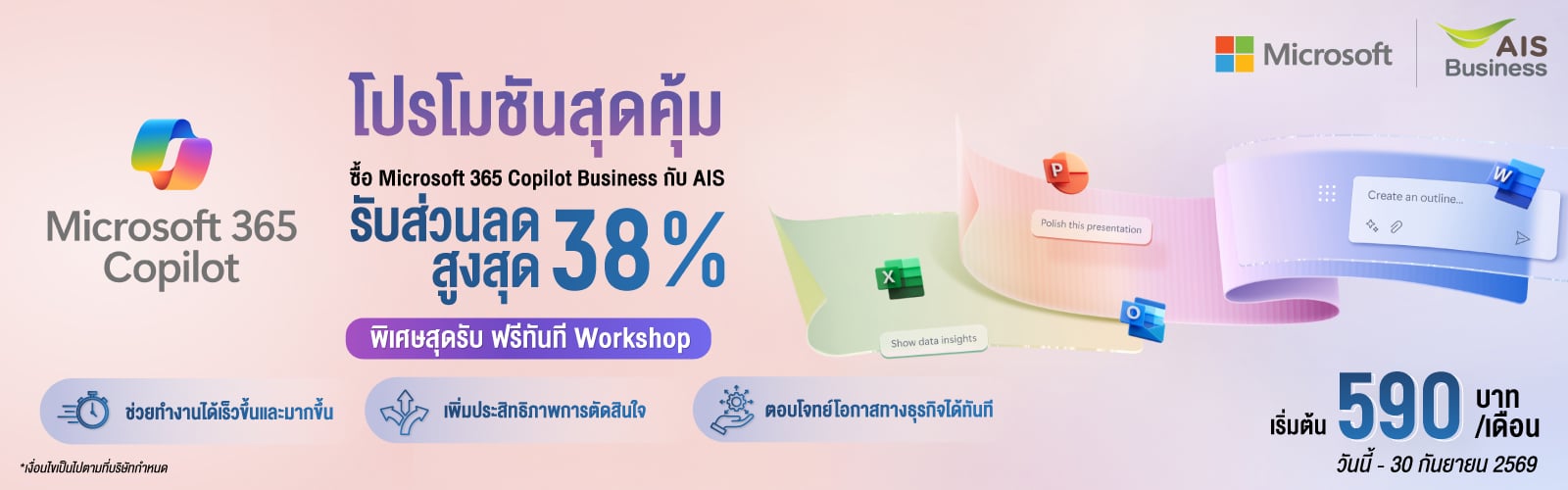
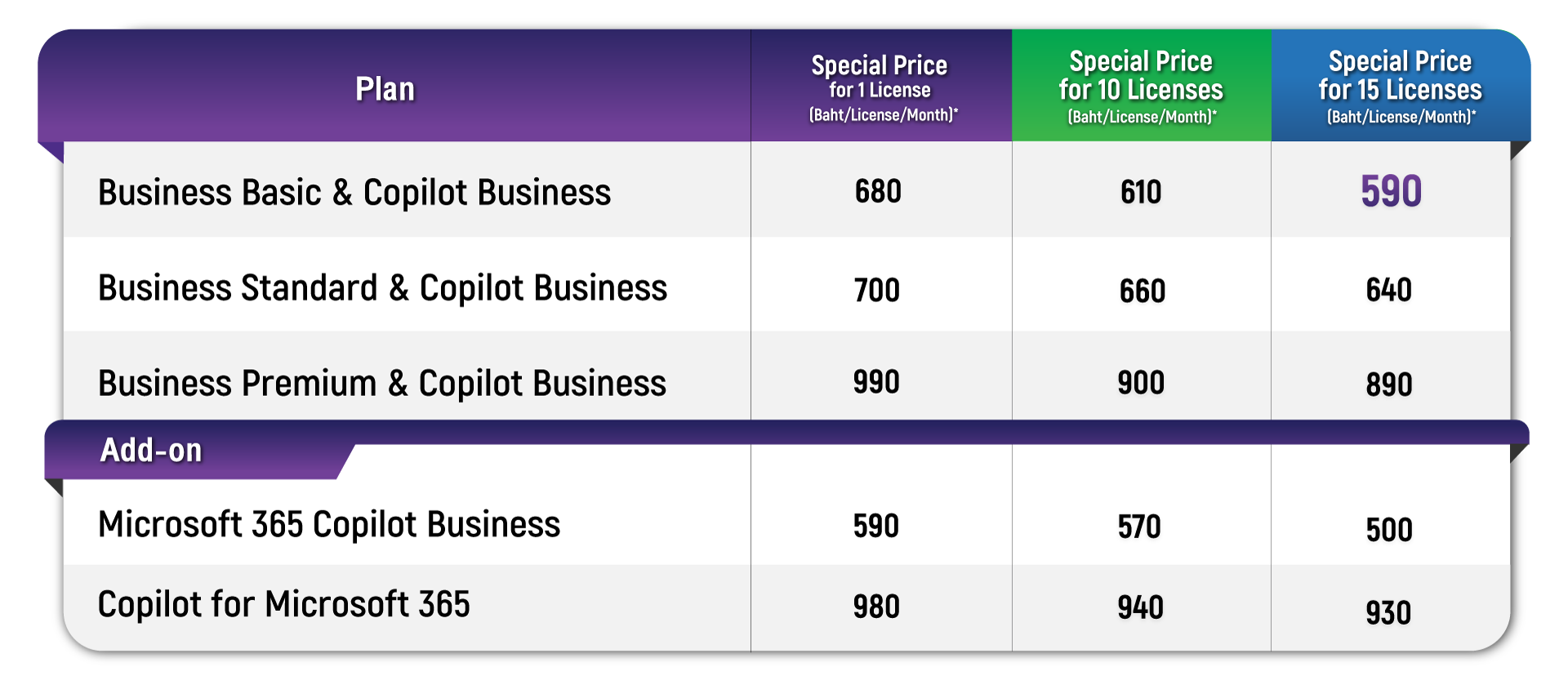
โปรโมชันสุดคุ้ม สำหรับลูกค้าใหม่ และลูกค้าปัจจุบัน
รับส่วนลดสูงสุด 38%
รับฟรีทันที! Workshop และ AIS Ready-to-Build AI Agent Templates*
ตั้งแต่ วันนี้ – 30 กันยายน 2569
Where Is Microsoft Copilot for Business Available?
-
Microsoft 365 Chat
-
Word
-
Excel
-
PowerPoint
-
Outlook
-
Microsoft Teams
Microsoft 365 Chat
Microsoft 365 Chat is like your personal assistant, helping you brainstorm or find whatever you need in your files, connect the dots across your content. Goes far beyond simple questions and answers to solve the most complex problems at work.
Microsoft Word
Copilot in Word helps you transform the writing process to make you more creative and efficient. You can “Rewrite” a paragraph or save time on formatting by asking Copilot to generate a table from your copy or create a summary of any document to share as a recap or quickly get up to speed.
Microsoft Excel
Copilot in Excel enables anyone to analyze and visualize data like a data analyst. You can create powerful, professional visualizations, generate forecasts, and save time sorting through data by simply ask questions about your data to instantly uncover key insights.
Microsoft PowerPoint
Copilot in PowerPoint helps you turn your ideas into stunning presentations. You can create a customer-ready presentation based on a Word document which including relevant stock photos.
Microsoft Outlook
Copilot in Outlook helps you stay on top of your inbox and create impactful communication in a fraction of the time. You can let Copilot to summarize an email thread and suggest action items, replies, and follow-up me.
Microsoft Teams
Copilot in Teams helps you run effective meetings, get up to speed, organize key discussion points, and summarize actions what decisions were made, and what are some suggested next steps. Even in the meeting that you cannot attend, Copilot helps summarize what you’ve missed in a meeting.
Why many enterprises have chosen AIS Business
Trusted partners providing total digital solutions
Learn how customers are transforming with Microsoft 365
User Manual
FAQ
- On April 22, 2020, Microsoft announced a name change of the Office 365 program suite to Microsoft 365, with the same service and price.
- Office 365 Business Essentials changed its name to Microsoft 365 Business Basic
- Office 365 Business Premium changed its name to Microsoft 365 Business Standard
- Microsoft 365 Business changed its name to Microsoft 365 Business Premium
- Office 365 Business changed its name to Microsoft 365 Apps for Business
No input is required from users. Your subscription will change its name from Office 365 to Microsoft 365 automatically, and the new name will appear in the Administrator’s portal.
Copilot for Microsoft 365 is now generally available across all business sizes can purchase the Copilot for Microsoft 365 add-on SKU with no minimum seat requirement. Please contact AIS Business at business@ais.co.th for more information.
There is no trial available at the moment
Consult with our experts to discover the right solutions for your business.
You can contact AIS Business experts for professional consultation and digital technology planning to drive business growth immediately.

AIS Corporate Call Center
1149
Download eServices


Follow us


