





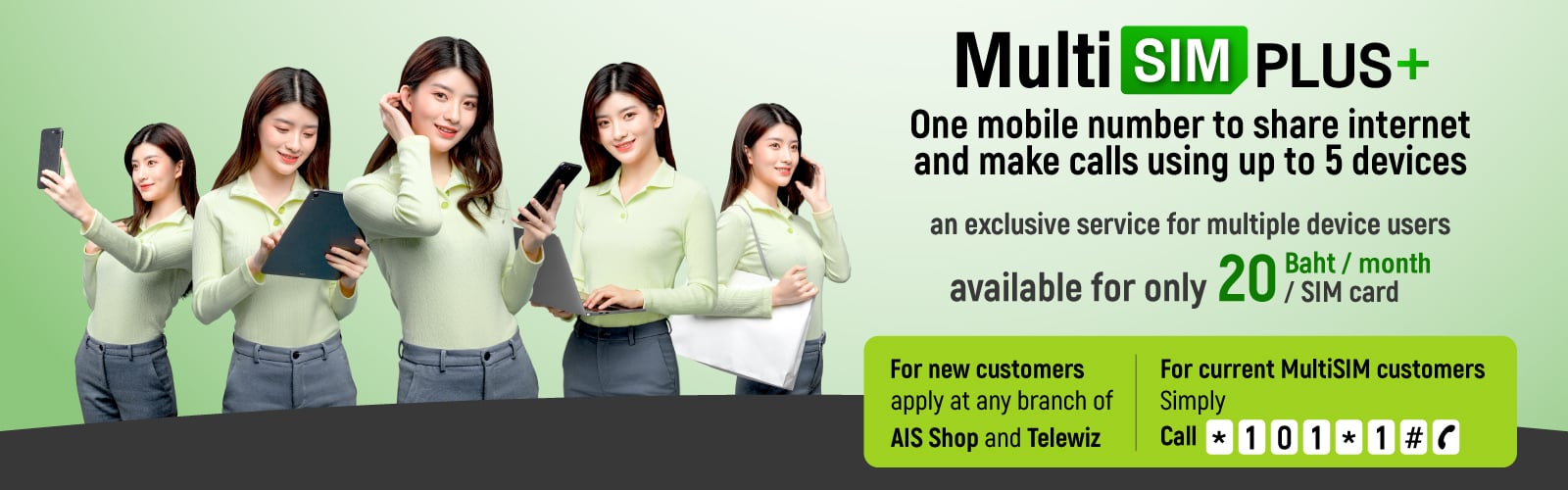
Let’s get to know
Multi SIM PLUS+






Functions of the main SIM and supplementary SIM cards
Main SIM card

Incoming – outgoing calls
Internet access/ SMS/ MMS/ USSD
International Roaming Service
eSIM-compatible
Compatible with supplementary services
- Call Forwarding
- Call Waiting & Call Holding
- Call Conference
- Call Barring *for 3G only
- Voice calls over 4G network [VoLTE & VoWiFi]
Supplementary SIM cards
Incoming – outgoing calls
Internet access
Switch to main SIM status by dialing *100#
Compatible with supplementary services
- Call Waiting & Call Holding
- Call Conference
- Call Barring *for 3G only
- Voice calls over 4G network [VoLTE & VoWiFi]
- ก
- ก
How to use
Multi SIM PLUS+
1
Insert the Multi SIM card into the SIM card tray of your mobile phone, tablet or other kinds of electronic devices.

2
Switch your device off and on to start using the internet and making calls.
3
In case you would like to send/receive an SMS or MMS, receive a passcode, or use USSD, you are required to do it on the main SIM only. If you are using a supplementary SIM, please change the status of your SIM to the main SIM.
Check the status
of your SIM
Change your SIM card status
to the main SIM
Exclusive privileges

• FREE! First Multi SIM service fee [regularly 50 Baht/SIM card]
• FREE! Monthly service fee for the first SIM card for a period of a year [regularly 20 Baht/SIM card]
*Only for participating packages Click
Monthly add-on package
that allows you to use the internet simultaneously on different devices Multi SIM PLUS add-on package that offers 2GB internet for only 99 Baht/SIM card
*For more info Click
To apply
Apply for Multi SIM PLUS
and add-on packages at


For current Multi SIM users, apply by
dialing
-
Terms and conditions
-
Q&A

Multi SIM PLUS is a service further developed from Multi SIM. By dialing *100# , users can make outgoing calls and receive incoming calls from supplementary SIM cards without having to change the SIM. Details are as follows:
Making outgoing calls
- The destination device being called shall display the same number as the caller, regardless of which SIM card is being used to make the call.
- Calls can be made from any device, and all at the same time.
- Conference calls can be made from any device independently.
- The devices cannot be used to call each other (since they use the same number).
Receiving incoming calls
- In case of a phone call, all devices will ring at the same time. Once a device replies the phone call, the rest of the devices will display that it is a missed call.
- Each device can be used to pick up a call waiting independently from the rest.
Use of Internet, SMS, MMS and USSD
- The use of the internet, SMS, MMS and USSD is exactly the same as with the Multi SIM.
The main SIM is the SIM card used to apply for services while supplementary SIM cards are those activated to allow you to use iMultiSIM or MultiSIM PLUS services. Differences are detailed as follows:
| Use and Characteristics | Main SIM Card | Supplementary SIM Cards |
| General use | Use with the main device to make calls and access the internet | Use with all models of mobile phones, tablets, car SIM cards, etc. |
| Calls | Incoming – outgoing calls | Incoming – outgoing calls |
| Internet use | Based on the main package | Based on the main package |
| การใช้งานบริการเสริม | Use of supplementary services | All services except Call Screening |
| Use of SMS, MMS and USSD | Available | Not available Users may dial *100# to change to the main SIM status to activate the services. |
| International Roaming | Available | Not available Users may dial *100# to change to the main SIM status to activate the services before departure from Thailand. |
| Voice Calls over VoLTE & VoWiFi | Available (depending on the model of the device) | Available (depending on the model of the device) |
| eSIM | Compatible (depending on the model of the device) | Incompatible Users may dial *100# to change to the main SIM status and convert to eSIM by Self Service via AIS web sheet |
| Online packages | Available | Available |
Yes. The use is similar to that with the main SIM.
No. To use it abroad, users are required to dial *100# to change the supplementary SIM status to the main SIM. In case a signal is not detected when the SIM is in use abroad, please contact AIS Call Center and inform them of the SIM Serial Number as appears at the back of the SIM in order to activate it as the main SIM.
Supplementary SIM cards can be used with any model of mobile phones to make phone calls.
No. Once your application for the MultiSIM PLUS service is complete (with a confirmation SMS and you have switched your device off and on), you can make/receive a call as normal.
If you want to switch back to iMultiSIM, please follow the below instructions:
- Dial *101*3# to check if your SIM is the main SIM (Active SIM) or a supplementary SIM.
- Dial *101*2# to cancel the MultiSIM PLUS service and switch back to iMultiSIM.
- Wait for an iMultiSIM application confirmation SMS. Switch your device off and on to start using iMultiSIM.
- Customers using a main package with limited voice and data services are eligible for MultiSIM PLUS.
- Customers using a main package with unlimited voice and data services [Use the internet at the max speed X GB after that, continue to use at a reduced speed (X kbps or X Mbps) only the specific packages] are eligible for MultiSIM PLUS, but are required to purchase MultiSIM PLUS as an add-on package.
- Customers using a main package with unlimited voice and data services [Use the internet at a specified speed Not reducing speed] not eligible for MultiSIM PLUS.
- Customer using an add-on package with unlimited voice or data services may not apply for MultiSIM PLUS. They are required to cancel the add-on package that comes with unlimited voice or data services or contact an AIS shop.
You may use a supplementary SIM to apply for a supplementary service, or get a privilege or an OTP by dialing *100# This will change your SIM status to the main SIM, allowing you to do the above.
- Outgoing calls can be made from any SIM, without the hassle of changing the SIM back and forth.
- You will no longer miss a call since all the devices will ring simultaneously.
- There are now more devices compatible with MultiSIM PLUS, e.g. all models of mobile phones, tablets, car SIMs, etc. Each SIM
- Can be used for Call Conference independently.
- Each SIM supports voice calls over VoLTE & VoWiFi (depending on the model of your device).
Not at all. There will be only one service fee for iMultiSIM displayed in your statement.
Yes
Yes. AIS SUPER WiFi can be used (either with the main or a supplementary SIM) on one user account only.
If a supplementary SIM can be used to make/receive calls without having to change the SIM (*100) , that means MultiSIM PLUS is in use. Alternatively, you may check the current service you are using on AIS website or my AIS application.
No. To use MultiSIM PLUS, you are required to change from MultiSIM to iMultiSIM. Please contact any branch of AIS Shop
No. In case a device has received a call, the rest of the devices will display that there is a missed call.
Yes.
You will be charged according to how you actually make your calls, regardless of whether you make a call at the same time or at different times. Your call history (available on my AIS) will show the mobile number you use to make a call and the destination number that you call, making it possible to charge accordingly.
Yes, but AIS SUPER WiFi can be used on one device only (main or supplementary SIM) per one user account. Once AIS SUPER WiFi is in use with a SIM, that device will be the only one that is NEXT G-accessible.
Yes. Incoming/outgoing calls can be made simultaneously with internet access.
Yes.
Yes. You can also make/receive calls with a supplementary SIM.
MultiSIM PLUS does not support Call Screening. If you are using both of the services, the numbers on your blocked call list can no longer be blocked.
Download myAIS app


Follow us


×